Published by AutoPosting Pro. Competitor information comes from the official sources linked below, reviewed September 8, 2026. We have not independently tested these competing services. This guide explains fit and purchase questions, not a universal winner or a measured sales result.
The short answer: choose for the work left after you post
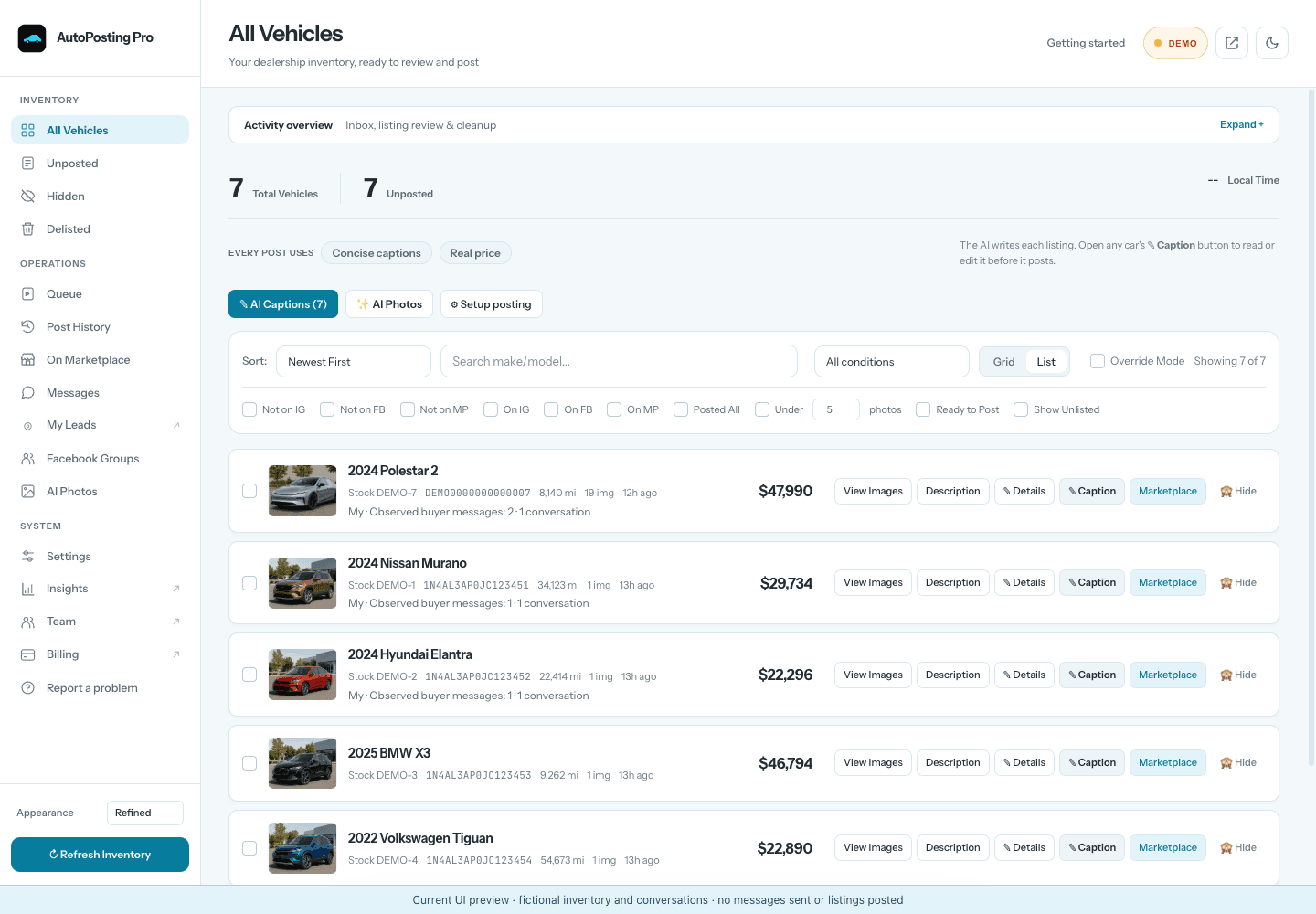
If you want dealership inventory, editable AI captions, reviewed photos and buyer-message tools together in Chrome, AutoPosting Pro is worth shortlisting. Compare AutoLander if you prefer a native desktop application with inventory feeds, and AutoLister Pro if its advertised Facebook, Instagram and TikTok distribution fits your day.
A successful first listing is only part of the decision. Prices change, cars sell, photos need review and buyers ask questions. The useful question is: how much of that follow-through does the software handle, and what still needs me?
Compare the daily workload, not just the Publish button
If you are replacing an existing tool, start with the AutoLander switching checklist. For a wider dealership package, see the CARVID value guide. Publishing capacity is a separate question: read how to plan around posting limits.
- Inventory: can you tell which vehicles and photos were imported, which are missing and whether the last refresh actually succeeded?
- Preparation: can you edit captions, select the lead photo and approve an accurate gallery before queueing the car?
- Follow-through: what happens to a published listing when its price changes or the vehicle sells? Ask to see the listing affected and the result.
- Conversations: distinguish a saved first response from an AI draft, automatic sending and a human handoff. They solve different problems.
- Visibility: can you pause, see failures and retry without repeating completed work?
These are evaluation questions, not claims that any tool handles every case. For installation and browser choices, use our Chrome-extension comparison. For setup steps, see how the Marketplace posting workflow works.
Where AutoPosting Pro fits a salesperson's day
Prepare the car once, then review the listing
Our server reads the dealership's public inventory and each vehicle's source gallery every night. Questionable candidates are held while the last known-good inventory remains available. You can inspect the record, prepare an editable AI caption, select or skip photos and move the vehicle into a visible Marketplace queue. See the inventory and photo verification checklist.
Make the photos cleaner without changing what you are selling
Studio adds reviewed AI promotional-text cleanup, optional plate obscuring and background changes. That can help a salesperson prepare a cleaner presentation from dealership source images. Keep the original available: AI can redraw details of the vehicle, including its condition. Reject changes to paint, wheels, trim or damage, and do not present a generated driveway as the vehicle's actual location. See the photo tools.
Keep buyer conversations connected to the vehicle
Marketplace Messages and the optional salesperson-written first-response template serve a different purpose from Studio's AI replies. On Studio, the AI answers buyers automatically from inventory and the dealership playbook, books visits within your saved hours and won't negotiate price or trade value over chat. You can switch to drafts mode to approve each reply, or take over any conversation. See buyer replies.
Sign in to Facebook in this Chrome profile. AutoPosting Pro does not need your Facebook password, and the queue runs while your computer and Chrome remain online. Auto-renew renews every listing Facebook offers to renew, except sold cars. Delisting a sold car prefers a recorded Marketplace link but may fall back to matching a vehicle title, so review the target and result. Facebook decides which controls are available and whether it accepts a listing.
When to compare AutoLander or AutoLister Pro
AutoLander: its official pages separate the reviewable vehicle record from the posting queue, and describe price changes and sold-listing follow-through. Its native desktop/feed workflow is worth comparing if that suits your inventory source. Its individual plans currently list 5, 10 and 15 daily posts at $39, $59 and $79/month; Dealer starts at $117/month with a three-seat minimum. Compare those allowances with your workload, rather than equating inventory size with daily posts. Sources: listing workflow, posting workflow and pricing. Our AutoLander comparison has the side-by-side details.
AutoLister Pro: its site advertises a Chrome extension with vehicle-data import, AI descriptions, listing maintenance and broader social distribution. If those channels matter to you, ask for a demonstration of the current posting and final-confirmation steps in your chosen plan. Source: AutoLister Pro's official product page. See our AutoLister Pro comparison for sourced pricing and workflow questions.
Both alternatives also describe workflows running on the customer's computer. Local execution and AI photo tools are not unique to AutoPosting Pro, and neither is proof of account safety or sales performance.
Ask for a small real-inventory demonstration
Use the same scenarios with every shortlisted provider. This is a proposed acceptance checklist, not a benchmark we have already run. Start in a preview or review mode; do not create test listings or change live prices just to complete a demonstration.
| Scenario | Evidence to ask for |
|---|---|
| A complete vehicle and one with missing source details | Compare VIN, mileage, price, description and each vehicle's own gallery with the dealership website. Missing data stays missing or is flagged, not invented. |
| A price change and a sold vehicle | Use a review or test mode to inspect the proposed update and exact target listing. Ask what happens when the vehicle title matches more than one listing. |
| A dealer-banner photo and a questionable AI edit | Keep the original beside the edited image. Check color, wheels, trim and visible condition; reject inaccurate edits even if the background looks better. |
| A buyer asking about a trade or appointment | See which facts inform the response, whether anything sends automatically, how the salesperson is alerted and how they take over. |
| A paused queue or failed inventory refresh | Identify what completed, what did not and what is safe to retry. Check that the existing inventory is not presented as a newly successful refresh. |
For each scenario, record what completed, what still required you, whether the outcome was visible and which paid plan included the feature. If a provider cannot demonstrate a step, mark it unverified rather than assuming it works or does not exist.
Compare the recurring cost of the tools you will actually use
AutoPosting Pro Individual is $9.90 for the first month, then $29.90/month, with unlimited inventory vehicles. Studio is $99.90/month for the additional reviewed AI photo tools and AI buyer replies. Studio is available to new subscribers. Prices are USD. Unlimited inventory does not guarantee unlimited daily posts accepted by Facebook.
For every vendor, check seats, devices, posting allowances, AI credits, setup fees and the price after any introductory offer. Separate one-time welcome credits from recurring allowances. Include your own remaining review and follow-up time when comparing value; do not treat an advertised posting speed as a promised increase in sales.
Our three-day first-inventory guarantee begins after payment, website registration, extension sign-in and exact-site permission are complete. It covers the inventory connection, not Facebook eligibility, listing acceptance or sales. Read current plans and the full guarantee terms.
Questions before you subscribe
What is the best Facebook Marketplace car listing automation software for a salesperson?
The best fit depends on the work you need help with. Shortlist AutoPosting Pro for a Chrome inventory, caption, photo-review and buyer-message workspace; compare AutoLander for its desktop and feed-oriented posting workflow, or AutoLister Pro for its advertised multi-channel distribution. Ask each provider to demonstrate inventory changes, sold-car handling, photo review and buyer handoff before choosing. This is a publisher-authored buying guide, not an independently tested ranking.
Does unlimited inventory mean unlimited Facebook Marketplace posts?
No. Inventory capacity, a software plan's daily posting allowance and Facebook's account limits are different things. AutoPosting Pro offers unlimited inventory vehicles, but that is not a promise that Facebook will accept unlimited posts. Check each provider's plan limits and the controls available to your own Facebook account.
Are AI car photos and AI buyer replies included in AutoPosting Pro Individual?
Individual is $9.90 for the first month, then $29.90/month and includes editable AI captions and the core Marketplace workflow. Reviewed AI photo editing and AI buyer replies require Studio, priced at $99.90/month, or Dealership AI for a team. Studio is available to new subscribers. Prices are USD; compare current plan inclusions before subscribing.
Can AutoPosting Pro automatically handle every buyer conversation?
Not every one. On Studio, AI replies answer buyers automatically by default from the car's real details and your dealership playbook: they confirm availability, send the listing link and your phone number, and book visits within your saved hours. They won't negotiate price or trade value over chat, and they leave stop requests and scams unanswered. Typing in a conversation pauses the AI for 30 minutes, Take over stops it for that buyer, and drafts mode lets you approve each reply. A separately enabled first-response template can send after a chosen delay.
Can I use the Marketplace workflow without another desktop app?
Yes. AutoPosting Pro's Marketplace workflow uses the Chrome extension. Sign in to Facebook in this Chrome profile; AutoPosting Pro does not need your Facebook password. The computer and Chrome must remain online for the queue. Facebook controls Marketplace access and whether a listing is accepted.
Choose the tool that fits the work you want help with and makes unfinished work clear. If that is a Marketplace-focused inventory, caption, photo-review and message workspace in Chrome, explore the AutoPosting Pro extension.