Published by AutoPosting Pro. Official vendor pages reviewed September 8, 2026. We have not independently tested these competitors; this is a switching checklist and sourced shortlist, not a ranked performance review.
Start with why you want an alternative
If you want dealership inventory and a reviewable Marketplace queue inside Chrome, shortlist AutoPosting Pro. Compare AutoLister Pro for its advertised wider social distribution, or CARVID for its dealership team and optional inbox tools. AutoLander itself may still fit if its desktop application and feed-based workflow already solve your needs.
“Alternative” should mean a better fit for the job you need done, not simply a different Publish button. Write down the reason for changing: installation, inventory completeness, reviewing photos, answering buyers, team access or recurring cost. Then ask the replacement provider to demonstrate that specific gap.
Three workflows to compare
AutoPosting Pro: inventory, listing preparation and messages in Chrome
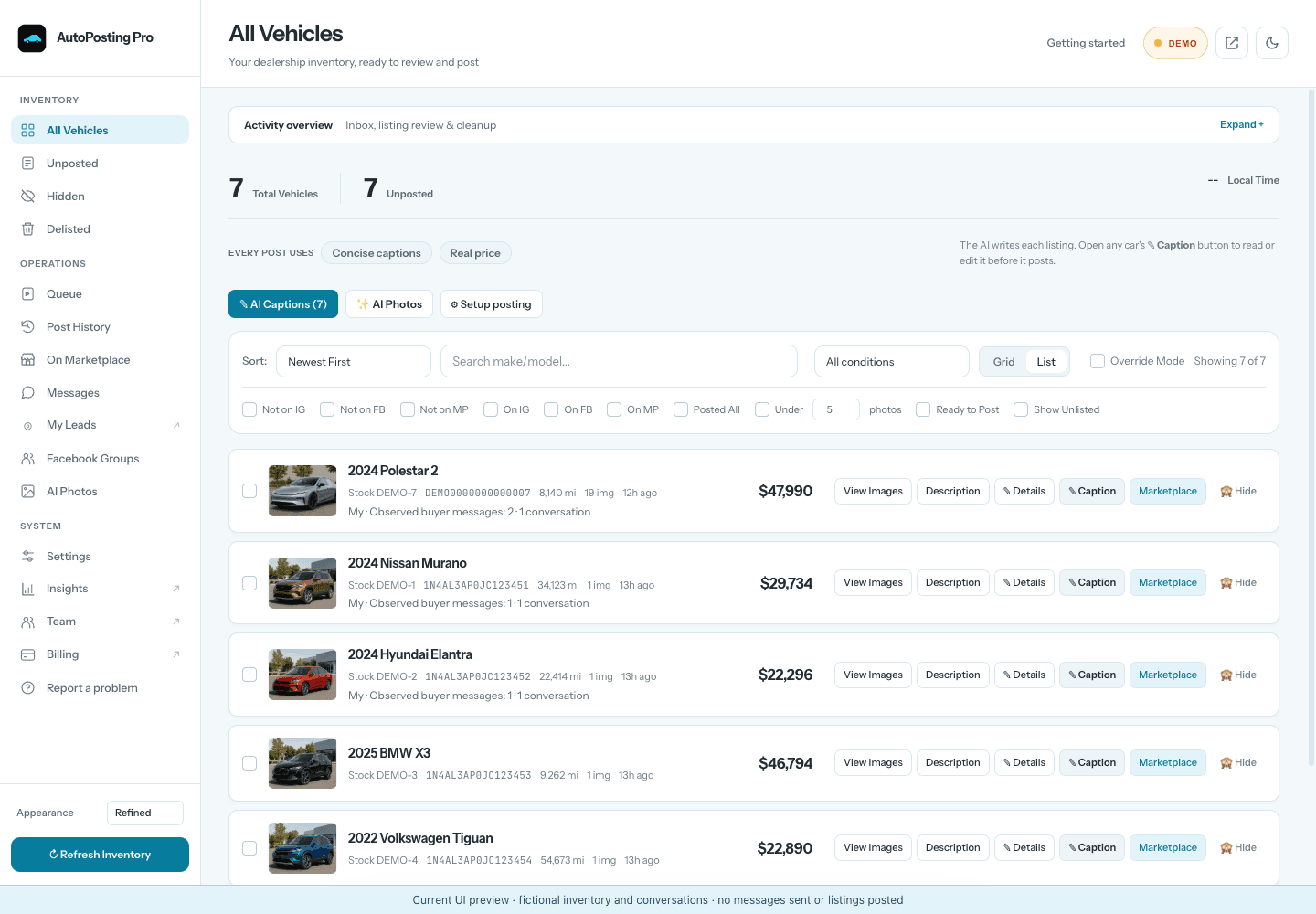
AutoPosting Pro sets up a reader for the dealership’s public inventory that runs on our server every night. Vehicle details and each vehicle’s gallery are checked before a new read replaces your inventory. If a refresh is incomplete or unsafe, the last known-good inventory remains available. The salesperson can edit AI captions, choose photos and review a visible Marketplace queue in their signed-in Chrome profile.
Marketplace Messages includes a separately enabled first-response template written by the salesperson. Studio adds reviewed AI promotional-text cleanup, backgrounds and AI replies that answer buyers automatically from each car’s real details; switch to drafts mode if you want to approve each reply. AI photos must be checked against the original car. Those controls matter if buyer follow-up is your reason for moving.
Individual starts at $9.90 for month one, then $29.90/month. Studio’s additional AI photo tools and AI buyer replies are $99.90/month. Prices are USD; check current enrollment, inclusions and guarantee terms. Unlimited inventory vehicles does not mean unlimited posts accepted by Facebook.
AutoLister Pro: wider distribution is the purchase question
Its official site advertises vehicle-data import, AI descriptions, Marketplace posting, listing maintenance and distribution to Instagram and TikTok. If extra channels are your priority, ask which ones are included in your plan and who performs the final approval. Sources: product overview and current pricing. See our AutoLister Pro comparison.
CARVID: compare team scope and the inbox add-on
CARVID describes a browser-extension Marketplace workflow on the customer’s computer, alongside dealership distribution, inventory integrations and team features. Its pricing page lists the Marketplace AI Inbox Responder as a separate monthly add-on. Ask for a quote covering your actual users, inventory size and message workflow. Sources: product overview and plans and add-ons. Our CARVID value guide breaks down those questions.
What you might be giving up by switching
AutoLander advertises dealer-site ingestion, direct feeds and custom authorized exports, a native desktop application, AI descriptions and photos, and price/sold-listing follow-through. Its integration page distinguishes direct sources from custom feeds; its buyer-inbox page says it does not reply to buyers. Check whether an alternative accepts your current source and which manual steps return if it does not.
Our AutoPosting Pro versus AutoLander comparison covers the two products directly. A change from desktop to extension is not inherently safer for your Facebook account, and local execution or AI photo editing is not exclusive to AutoPosting Pro.
A switching checklist that avoids duplicate work
- Record your current state. Keep active Marketplace links, vehicle identifiers, current prices and sold status. Keep buyer conversations in the account where they occurred.
- Prove the new inventory first. Compare VINs, mileage, prices and photo ownership with the dealership site. A dashboard row count alone does not establish complete coverage.
- Separate inventory import from listing migration. Do not assume a replacement tool knows which imported cars are already published. Ask how those links and statuses are associated.
- Avoid two active posting queues. Pause the old publisher before starting the replacement. Review existing listings rather than posting the same inventory again by default.
- Check one authorized workflow. Review a vehicle, its intended account and the resulting listing. Inspect a pause, a failed refresh and a human handoff before expanding usage.
- Confirm commercial terms. Compare renewal dates, cancellation, data access and team permissions. Keep records you need before ending the previous service.
This is a proposed migration checklist, not an automatic import feature or a completed cross-vendor test. For a broader purchase demonstration, see the car-salesperson automation buying guide.
Common questions
What are alternatives to AutoLander for dealership Marketplace posting?
AutoPosting Pro, AutoLister Pro and CARVID are options to compare. AutoPosting Pro emphasizes a Chrome inventory, caption, photo-review and buyer-message workspace; AutoLister Pro advertises broader social distribution; CARVID advertises team distribution and an optional paid AI inbox responder. Their plan scopes differ. Compare current official sources and demonstrate your own workflow rather than treating this publisher-authored shortlist as an independent ranking.
Does AutoLander reply to Marketplace buyers?
Its official buyer-inbox page says AutoLander does not manage the Marketplace inbox or reply to buyers. AutoPosting Pro has Marketplace Messages and an optional salesperson-written first-response template. On Studio, AI replies answer buyers automatically by default from the car's real details, won't negotiate price or trade value over chat, and can be switched to drafts mode or taken over by the salesperson.
Can I move my existing Marketplace listings automatically to AutoPosting Pro?
This guide does not promise automatic transfer of existing listing links, conversation history or posting records. Keep a record of your active listings and ask support which existing records can be associated before switching. Importing website inventory is not the same as migrating published Facebook listings.
Does switching to a Chrome extension remove Facebook restrictions?
No. Local operation describes where posting runs, not whether Facebook will accept it. Sign in to Facebook in this Chrome profile, review the queue and follow the controls and notices Facebook provides. Switching tools is not a way to reset a posting limit or resolve an account restriction.