This guide is published by AutoPosting Pro. Competitor summaries describe their official product pages, checked September 8, 2026. We have not independently tested every service. Features, prices and availability can change; use the linked sources before buying.
Which tools should a dealership compare?
For a Chrome-extension workflow, compare AutoPosting Pro, AutoLister Pro and Owini Vehicle Poster. If a desktop application also fits your team, include AutoLander. Start with how each tool imports your inventory, keeps photos tied to the right car, prepares listing copy and handles buyer messages. There is no single best choice for every store; the comparisons below describe advertised workflows, not an independently tested ranking.
Start with the work you want to remove
Choosing by daily workload rather than device? Use the car-salesperson software buying guide. For a switch, see AutoLander alternatives; for package value, see whether CARVID fits your dealership.
A salesperson comparing the best Chrome extensions for auto dealers usually has a practical question: how do I stop retyping the same vehicle information without losing control of my listings and buyer conversations?
Separate the workflow into inventory, listing preparation, posting, messages and sold-car cleanup. A tool that helps with one step may not cover the others. The best fit depends on which steps consume your time, the devices you use and whether you need a solo workspace or a manager’s team view.
Seven tools at a glance
These are different product types—not seven interchangeable browser extensions. This table summarizes the workflow each provider describes, not a ranking of reliability or account safety.
| Tool | Workflow | What to compare |
|---|---|---|
| AutoPosting Pro | Chrome inventory and posting workspace | Verified site inventory, editable AI captions, a visible queue, and Studio AI photos and AI buyer replies. |
| AutoLander | Desktop application + cloud inventory | Inventory feeds and website ingestion, Marketplace posting, AI photo editing, price/sold updates, and post/conversation tracking. |
| AutoLister Pro | Chrome extension | Vehicle details and photo import, AI descriptions, Marketplace posting, Facebook-group sharing, and listing maintenance. It also advertises Instagram/TikTok distribution. |
| Shiftly Auto | Dealership Marketplace software | Salesperson posting tools, manager activity tracking, sold-vehicle alerts, onboarding and support. |
| CARVID | Multi-channel dealership platform | Marketplace and social distribution, DMS integration, AI video, a lead dashboard and sold-vehicle removal. |
| Drift Automotive | Web/mobile inventory workflow | Marketplace posting, price synchronization, sold-listing removal and AI photo-background editing. |
| Owini Vehicle Poster | Chrome extension + phone dashboard | Inventory import, AI descriptions and photo editing, a pause/resume queue, duplicate detection and price/sold updates. |
For a closer look, see AutoPosting Pro vs. AutoLander and AutoPosting Pro vs. AutoLister Pro. Our Chrome-extension page explains installation, browser requirements and the current public workflow.
Where AutoPosting Pro fits
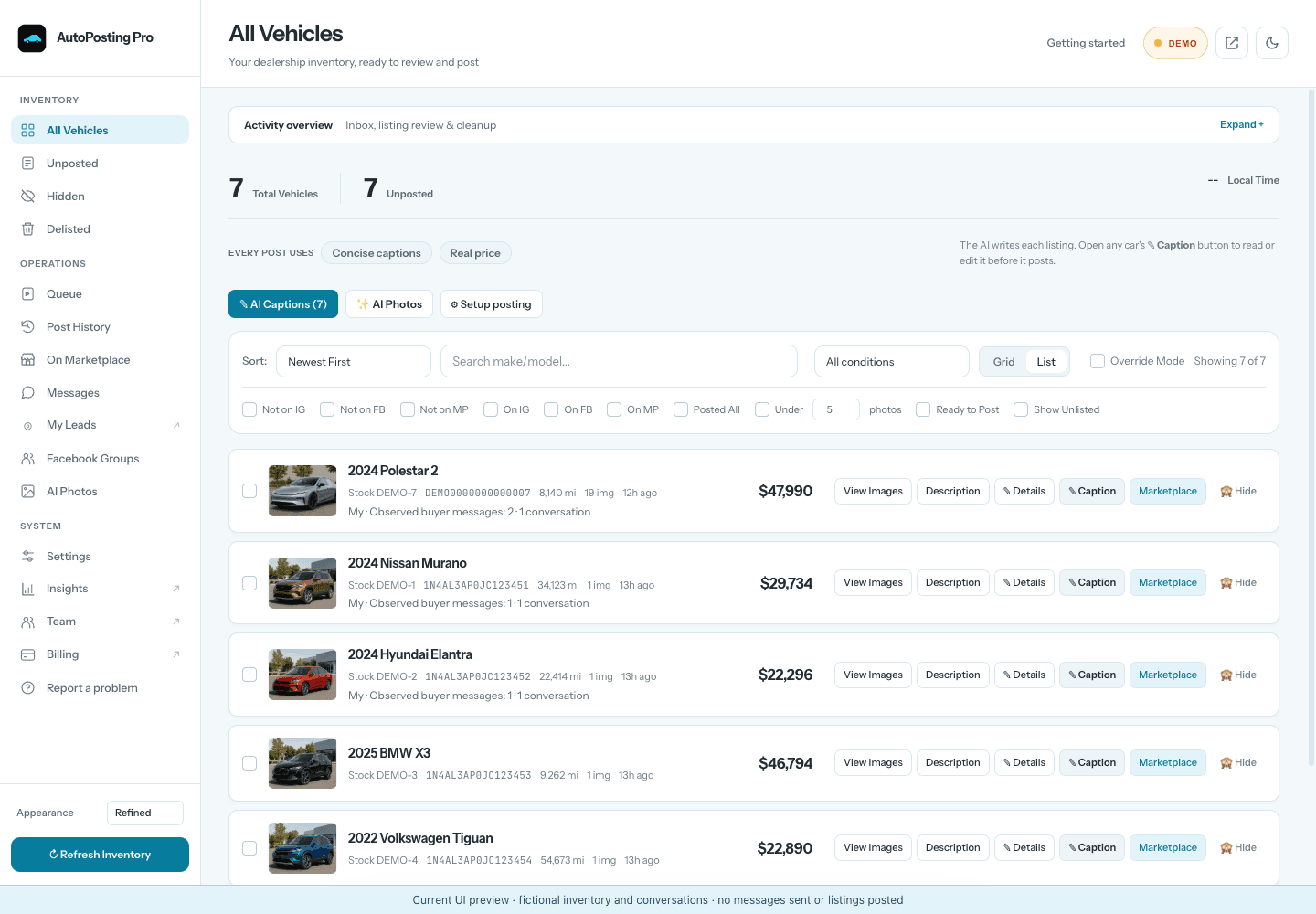
AutoPosting Pro brings your dealership’s website inventory into a salesperson’s Chrome workspace. Our server reads the vehicle details and each vehicle’s source gallery from your website every night. Questionable refreshes are held while the last known-good inventory stays available. See the inventory verification checklist for what to inspect.
You can prepare editable AI captions, choose the lead photo, reorder or skip frames and move vehicles through a visible Marketplace queue. Sign in to Facebook in this Chrome profile; AutoPosting Pro does not need your Facebook password. Facebook still controls access and whether a listing is accepted.
Studio adds AI promotional-text cleanup, optional plate obscuring and backgrounds such as a driveway or residential street. Compare each edit with the original: AI can redraw vehicle details, including condition, so keep only accurate results. A generated background is not evidence of the vehicle’s real location.
Buyer messages stay close to the inventory. On Studio, AI replies answer buyers automatically from vehicle information and the dealership playbook, and they won’t negotiate price or trade value over chat. You can switch to drafts or take over any conversation. A separate template first-response option can send after a chosen delay. See the reply tools and their boundaries.
Individual is $9.90 for the first month, then $29.90/month. Studio is $99.90/month. Studio is available to new subscribers. Prices are USD. Compare plans and exact guarantee terms.
What to ask each alternative
AutoLander
Inventory feeds and website ingestion, Marketplace posting, AI photo editing, price/sold updates, and post/conversation tracking. It says it does not manage the inbox or reply to buyers. Check whether its desktop workflow suits your team. Read AutoLander’s official product information.
AutoLister Pro
Vehicle details and photo import, AI descriptions, Marketplace posting, Facebook-group sharing, and listing maintenance. It also advertises Instagram/TikTok distribution. Confirm which channels and automation controls are included in the plan you choose. Read AutoLister Pro’s official product information.
Shiftly Auto
Salesperson posting tools, manager activity tracking, sold-vehicle alerts, onboarding and support. Its homepage offers personalized pricing. Ask for a written quote and distinguish listing software from its paid-ad services. Read Shiftly Auto’s official product information. See its homepage pricing FAQ
CARVID
Marketplace and social distribution, DMS integration, AI video, a lead dashboard and sold-vehicle removal. Compare plan inclusions and add-ons: its pricing page lists an AI inbox responder as a plan-specific add-on. Read CARVID’s official product information.
Drift Automotive
Marketplace posting, price synchronization, sold-listing removal and AI photo-background editing. Its public plans direct prospects to book a demo. Confirm the price, supported devices and message workflow. Read Drift Automotive’s official product information.
Owini Vehicle Poster
Inventory import, AI descriptions and photo editing, a pause/resume queue, duplicate detection and price/sold updates. Its phone dashboard controls Chrome on the customer’s computer. Clarify what comes with Vehicle Poster versus the broader CRM. Read Owini Vehicle Poster’s official product information.
Check the workflow before trusting the label
- Inventory completeness: compare the website’s available cars with the imported VINs, mileage, prices and photo galleries. Ask what happens when a refresh fails.
- Posting visibility: find out where posting runs, which session it uses and how to pause. A phone remote does not necessarily mean posting runs on the phone.
- Message ownership: distinguish template replies from AI drafts and automatic conversation handling. Check handoff and manual takeover behavior.
- Full cost: check the recurring price after any introduction, seats, setup fees, image allowances, message features and cancellation terms.
- Account limits: local versus cloud is an architecture choice, not proof that a tool prevents restrictions. No posting tool can promise Facebook will accept every listing.
Common questions
Are all vehicle-posting tools Chrome extensions?
No. Some are Chrome extensions, others use a desktop application or web/mobile workflow. Ask where posting runs, which computer must stay online and how your team signs in.
Does using my own Chrome profile guarantee account safety?
No. Local operation describes where the software runs; it does not guarantee Marketplace access, listing acceptance or freedom from restrictions. Facebook controls those decisions.
What does AutoPosting Pro cost?
Individual is $9.90 for the first month, then $29.90/month. Studio is $99.90/month. Prices are USD; the pricing page has current availability, annual options and guarantee terms.
Does AutoPosting Pro automatically send AI replies?
On Studio, yes, by default. AI replies answer buyers from the car’s real details and your dealership playbook while Chrome is open, and they won’t negotiate price or trade value over chat. Typing in a conversation pauses the AI for 30 minutes, Take over stops it for that buyer, and drafts mode lets you approve each reply instead. On every plan, a separately enabled first-response template can send after a chosen delay.
Choose for your day on the lot
If you want a connected inventory, caption, photo-review and message workspace inside Chrome, explore AutoPosting Pro. If your priority is a particular DMS, distribution channel, managed service or CRM, compare that requirement directly with the alternatives. Ask for a demonstration of your real workflow, not just a list of features.