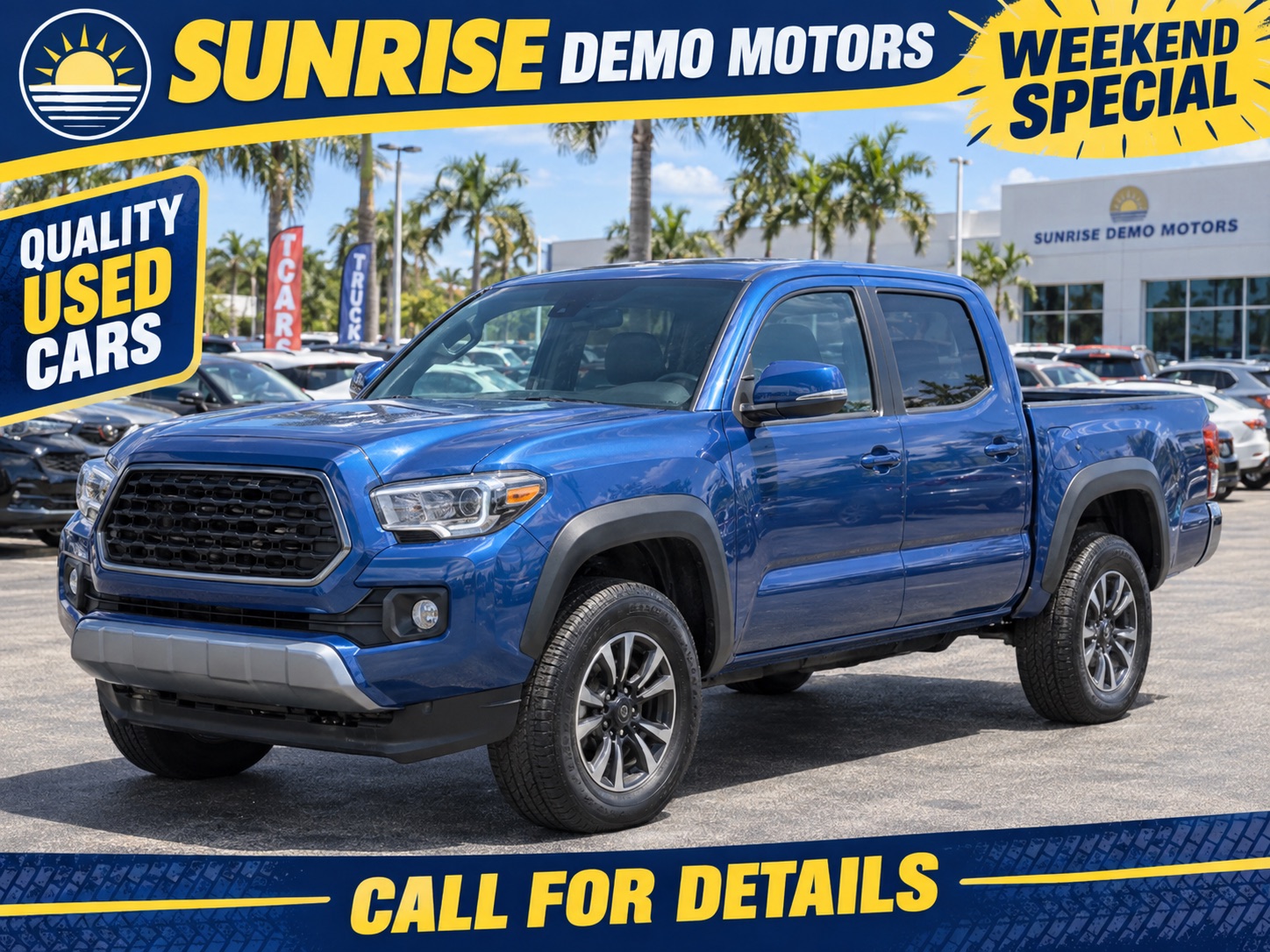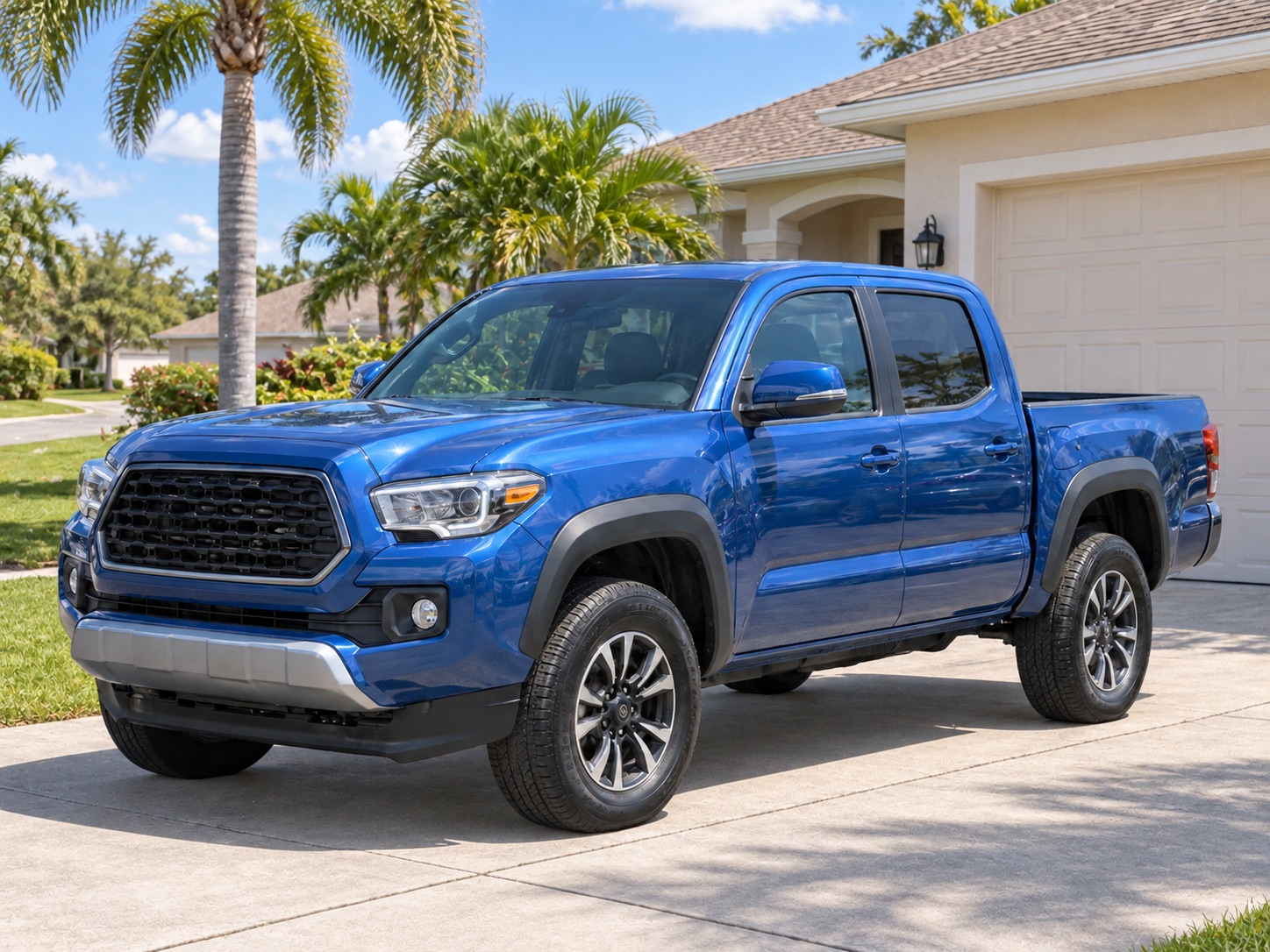

2024 Example SUV · $24,500 · 32,000 miles. Room for your daily plans and weekend trips. Message me to check availability or arrange a test drive.
Inbox
—
Off — turn on to read your Marketplace inbox every 5 minutes in the background.
New inventory posting
demo
Newest first · all photos ·
· manual until enabled
New cars needing attention
Auto-price · existing Marketplace listings
Checking this account’s preference…
Off by default. When enabled, both price increases and decreases follow the exact website price—no markup, down-payment, or posting-price adjustments. Only your own previously published, still-active vehicles with verified listing links qualify. Chrome must be open. This edits an existing listing; it never republishes the car.
— ready— queued— held for review
Allow automatic price changes for this account?
Both increases and decreases will update your existing Marketplace listings to the exact vehicle price on your website. No markup or down-payment rules apply. Only your own previously published, still-active vehicles with verified listing links qualify. Keep Chrome open. Cars are not republished. This stays on until you turn it off.
Exact website price changes
Shows up to 25 eligible changes. Ready and queued do not mean the Facebook price has already changed.
Manual tools are separate and may use your posting-price adjustments.
Confirm this one-time wait skip
Posting waits are OFF for this account
Always skip waits stays on until you turn it off. Faster posting may cause Facebook to rate-limit, restrict, or ban your account. Daily caps and Facebook restrictions still apply.
Vehicle Inventory Manager (v)
Automated inventory management and social media posting
0
Total Vehicles
0
Unposted
--
Local Time
Every post uses
Use AI captions to customize your voice and compare before & after.
◎
Loading vehicles...
Loading vehicles...
How delisting works
A car that leaves your lot comes off Marketplace on its own. Three steps, all of them visible.
-
Compare Every inventory sync checks your website against the cars this store has posted.
-
Mark sold on Marketplace A car that is gone gets a "mark sold" job — up to a daily ceiling, so it looks like a person, not a script.
-
Watch it in the queue The job lands in the Queue as
Delist · MP, like any post. You can see it run, retry it, or skip it there.
Compares your website to your live listings and queues a take-down for each car that is gone. Nothing runs until you press the button.
Posted & still on your website—
Left the lot, listing still up—
Delisted this week—
Waiting for a retry—
Need a hand (3 tries failed)—
Know a car is gone before the next sync? Every posted car also has its own ⤓ Delist button on its card.
Cars that left the lot — each one below has been taken down, or is on its way down.
Loading delisted vehicles...
Not read yet.
Listings older than 7 days are renewed about once a day; a posted car that leaves your website is marked sold. Both run in Live mode.
Select active cars below. Confirm before they enter the queue; queued does not mean removed yet.
Press Read my selling page to see every listing on your Facebook selling page — what is active, sold or pending, which ones are cars from this app, and which posted cars have already left your lot.
Posting Queue
No items in queue
Live Log
--:--:--ℹWaiting for queue activity...
My Facebook tests · admin only
Isolated tests through the Facebook account signed into this Chrome profile. These do not change customer inventory, posting history or the normal queue. A test may create a real public listing; remove it in Facebook when finished.
Posting History
Loading history...
Dealership business messagingManager analytics ↗
PERSONAL MESSAGES ARE NOT SHARED
Checking your dealership policy…
Sharing policy & my identity
Your name and direct phone
These replace only your identity in AI drafts. Your dealership’s shared answers stay the same. Leave blank to use the dealership fallback.
Choose who sends, then start when you are ready.
Voice, vehicle knowledge & when I take over
Sound like you: choose Casual, Warm, or Brief in your Store playbook, and set phrases it must never say. Routine replies do not introduce an assistant. If a buyer asks whether replies are automated, AI answers honestly.
Answer the actual question: AI uses the matched vehicle’s published price, mileage, features, and description. Missing details are not guessed, and a website listing is not a promise that a car is still unsold.
You stay in control: offers, financing decisions, holds, and uncertain sends stop for review. Look for “Needs you” in the inbox, or sort by “Needs me first.” Lead handoffs also request a Chrome notification; allow Chrome notifications in your computer’s settings to see them. Replying yourself pauses AI on that conversation; resume it explicitly when ready.
Example wording: “What else would you like to know about this car?” Real replies answer the buyer’s question using matched inventory and your playbook. Use “Preview reply” to see your account’s replies without sending.
Store answers
Facts and guidance AI can use in your replies
Pick a voice below, then add your store answers. AI uses your saved answers alongside the matched vehicle’s inventory facts. Anything you leave
blank, it will not guess. The
starred questions are the ones it
needs for grounded replies. Automatic replies require you to enable AI conversations; manual drafts wait for your confirmation.
Basic reply Your saved first response, without AI
Checking whether Basic reply is running…
Timing and when replies wait
Keep Chrome open and Facebook signed in. The silence delay starts when a new message is observed; sleep can delay checks. A human reply, closed conversation or uncertain send stops automatic follow-up. AI live mode takes priority so the two responders do not compete.Optional, off by default for each account. Saves buyer names, listing titles, conversation references, and observed buyer-message counts to My Leads. No conversation text is uploaded by this sync. A conversation about a listing you posted is linked to that car automatically; any other vehicle link needs your confirmation. Turning it off stops future uploads; existing cloud leads stay saved.
Lead sync is off until you enable it.
Loading conversations…
Pick a conversation
Listing
From the Facebook account signed in to this Chrome profile. This inbox can include personal listings.
Choose the actual vehicle discussed, then confirm.
Share selected conversation with managers
Saved lead & buyer-message count
Choose a conversation to see its linked vehicle and observed buyer messages.
Buyers who messaged you about a listing show up on the left.
Open one to read it here and reply without leaving the app.
Open one to read it here and reply without leaving the app.
Preview reply sends nothing · Send asks you to confirm
The last screen Facebook shows when you list a car offers to put it in your buy/sell groups at the same time. Choose your usual groups below. Caption Studio shows the exact Marketplace and group destinations again for each car, and only the destinations you confirm enter that listing. It happens inside the same publish — not as extra posts — so it does not spend your daily Marketplace budget, and your car stays listed on Marketplace itself either way. Facebook allows up to 20 groups per listing.
Nothing is held back. The one thing worth watching is the count next to each group: it is a group's own moderators who notice a whole lot arriving in their feed, and being removed by them shows up nowhere — no warning, no error.
Shared dealership photos · New backgrounds use prepaid dealership credits. Reusing the same saved vehicle photo and scene uses no credit. There is no automatic credit purchase. Manage photo credits ↗
This month
—
"Enhance visible cars" works on whatever All Vehicles is currently showing — filter there first to pick the batch.
Default backdrop
Every scene picker pre-selects this backdrop, and the same car always gets the same drawn background — so a whole gallery stays consistent.
Enhanced cars
Loading…
Platforms & Auto-Posting
Marketplace works with zero setup and is on by default. Instagram & Facebook connect with one click on your portal — this app links itself automatically (no tokens). Flip Show on to use them once connected.
Facebook & Instagram — not connected
Connect once on your portal — this app picks it up automatically.
MP
Marketplace
✓ Ready · no setup
Queue your current inventory once. Turn on Auto-post new inventory for eligible cars added afterward. Off by default. Later arrivals with complete details and enough selected photos enter the queue without selecting each car. Sold or incomplete cars are skipped; Facebook limits and account checks still apply. Keep Chrome open and the computer awake. Preview or edit any time; pause in Queue. Uses Facebook signed in to this Chrome profile and may bring its tab forward. Turn this off before switching Facebook accounts.
IG
Instagram
Not connected
FB
Facebook Page
Not connected
Facebook Settings
Manual tokens are optional — if you connected on your portal, these fill in automatically.
Marketplace login
If you (or a client) signed into the wrong Facebook account during a Marketplace post, wipe the saved session here. The next Marketplace post will reopen the FB login page so you can re-pair with the correct account. Pages API tokens above are not affected.
Instagram Settings
Manual tokens are optional — if you connected on your portal, these fill in automatically.
Photo selection
Dealer feeds often include watermarked or branded frames. Hiding them keeps unwanted graphics off every post and makes the vehicle—not a sale banner, phone number or URL—the clearest subject. Set a blanket "skip first N" per platform below; for specific banner photos, open any car's View Images and click the photos → Apply to EVERY car.
Tip: Need to keep photo 2 but drop photo 1? Open any vehicle's Photos button for per-vehicle override.
Posting price
Adjust the price that appears on every post — useful for "+$500 dealer fee" or "$0 — Call for price" listings. Applies to the Marketplace price box and to the price the AI writes into each caption, so the two always agree. Inventory's true price stays untouched. Changing this clears cached AI captions so they regenerate with the new price — saving without changing it does not.
Currently: no price adjustment. Posts will show each vehicle's real price.
AI captions
Set one caption style for your dealership and every team member. Try your instructions on a feature-rich sample vehicle before you save. Saved changes apply to future captions; reviewed or queued captions keep their words.
Checking your dealership caption policy…
The feature bullets are written from the description and KEY FEATURES block we capture from your vehicle detail pages. On a car we have not captured that from yet, the same shape is written from the spec row instead — shorter, and with nothing invented. The AI captions screen tells you which one you are looking at, per car.
Image Badges
Overlay text on the first image of each listing — great for price, mileage, or stock number. Settings are per-platform so you can run different styles on Instagram vs Facebook vs Marketplace. Drawn by the desktop app, which reads what you save here; posts made from this browser attach your photos unchanged.
💡 Tip: Click Preview above to see exactly how the badge will render on a real vehicle photo. Click Save Settings (top right) to persist.
Developer
Records every hop of a site scan — what this browser read, what was sent to
the AI, and what it answered — and adds an Inspector item to the sidebar.
Off by default. Kept in memory only, dropped when Chrome closes, and turning it
off deletes everything captured. Credentials are never recorded.
Automation Settings
Walk through setup again, including Instagram & Facebook Page posting.
The automatic photo recommendation always applies. Enable this to keep a higher
custom minimum; turning it off removes only that additional requirement.
Automatic readiness uses your active inventory’s average photo count minus 2,
rounded up, with a minimum of 2. A higher saved minimum wins. To queue a car
below the minimum, review it individually and confirm its photo warning.
Cars with no selected photos cannot be queued; batches never approve these warnings.
Your saved daily cap. During warm-up, today's allowance may be lower.
Not recommended. The first-days ramp (5 → 8 → 12 → 16 listings/day,
slower spacing) exists because brand-new accounts that post in bursts get
flagged and locked by Facebook — we have seen it happen. Turning this on
uses your full daily limit and normal spacing immediately. Only for an established
Facebook account: the risk is yours and AutoPosting Pro is not liable for what happens
to your account. The normal 3-minute spacing remains unless you separately confirm
a one-time wait skip or enable Always skip waits. Those controls do not remove daily caps or Facebook restrictions.
How mileage is stored, shown, and posted to Facebook. Pick km for a
Canadian dealership — Canadian Marketplace expects kilometres. Re-run a
scan after changing this so your lot converts.
Used when your inventory feed does not include an interior color.
Used when your inventory feed does not include an exterior color.
How often this browser downloads the latest saved inventory.
Your website is read on the server daily, even with Chrome closed.
Refresh Inventory requests an earlier server refresh when its displayed cooldown ends.
Wait between posts in a queue run. Blank = per-platform defaults
(Instagram 60s · Facebook 30s · Marketplace 45s).
⚙️ Advanced — AI content generation (most dealers can ignore this)
🔐
AI providers are managed server-side
No AI provider key is stored in or returned to this extension. Caption and photo requests use the provider configuration for your AutoPosting Pro account.
Danger Zone
Wipes every vehicle in this app and pulls a fresh copy of your lot from your
website. Use this if your vehicle count looks wrong (for example after changing
which website or pages we scrape — cars from the old source can linger).
Kept: post history, photo customizations, and scheduled mark-sold jobs.
Cleared: scheduled posts that haven't published yet. Cars already posted
stay live on Facebook.
Vehicle photos
1 / 1